




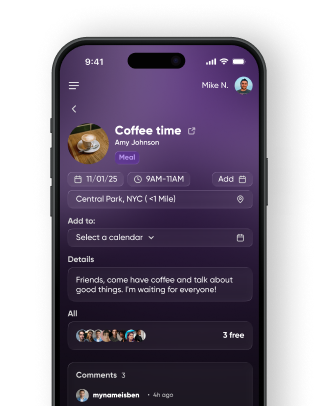
Set the time, place, and title — Pulse instantly forms
a ready-to-share activity you can send to friends or groups.
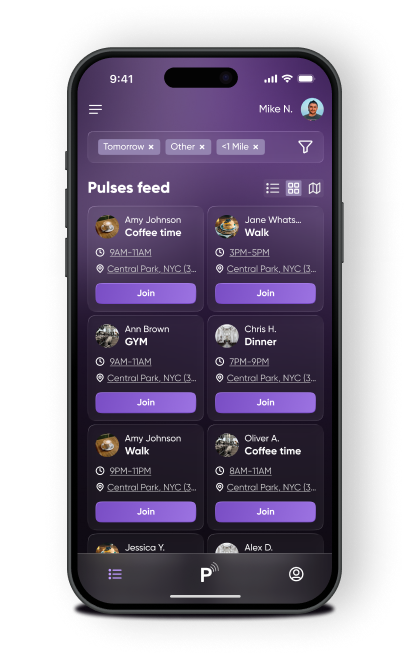
Look through a list, grid, or map view to join friends' pulses -
one simple tap

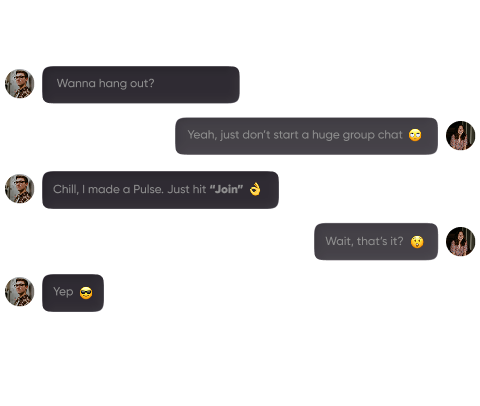
Create a Pulse, people tap "Join," and you're ready to meet - fewer messages, more real-life meetups.
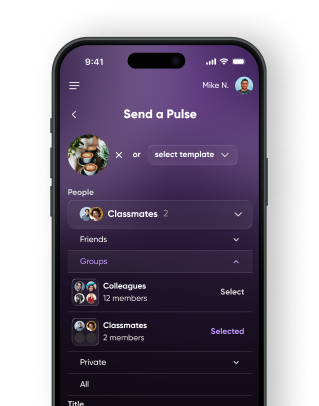
Create friend groups for different moments and instantly notify them when you're ready to meet.
Simple ways to bring people together
Hard to turn group chats into real plans?
 Create a plan with one tap
Afraid of rejection when texting people?
Post openly or invite specific people
Tired of endless social scrolling?
Spend less time online, meet offline
Plans fall apart because no one commits?
See who's in before you go
Don't know what to do this weekend?
Discover nearby activities instantly
Please reach-out with any questions you have about creating Pulses and using the app / website
Contact UsTap Pulse (e.g., logo in bottom middle bar), choose one of six pre-built quick Pulse options or choose custom to start from scratch. Verify the title, time, location, privacy (public, private, or friends), and add an optional image (default is your image) and details
Mostly no. Pulse is meant to be for friend / acquaintance get togethers. If you create a Pulse for "friends" then you need to add them and they need to add you to see the event.The small yes comes from public events. These are shown to all users logged-onto Pulse
Each activity has a unique link you can send via text, social, or email.
Public activities are discoverable by anyone nearby. Friends-only activities are visible to your connections, while private events are only seen by the user
Yes. You can edit details or cancel at any time, and attendees will be notified of updates automatically.
Pulse shows nearby activities based on your location
Yes. Pulse is free to create, join, and share activities.
Create activities instantly and share them with a simple link. The app makes it easy to plan events with friends.